
Parent App
Your child's school bus, on your phone.
See where the bus is, when your child boarded and when they arrived. Tell the school about an absence, and get messages from the transport team straight away.
Follow the journey
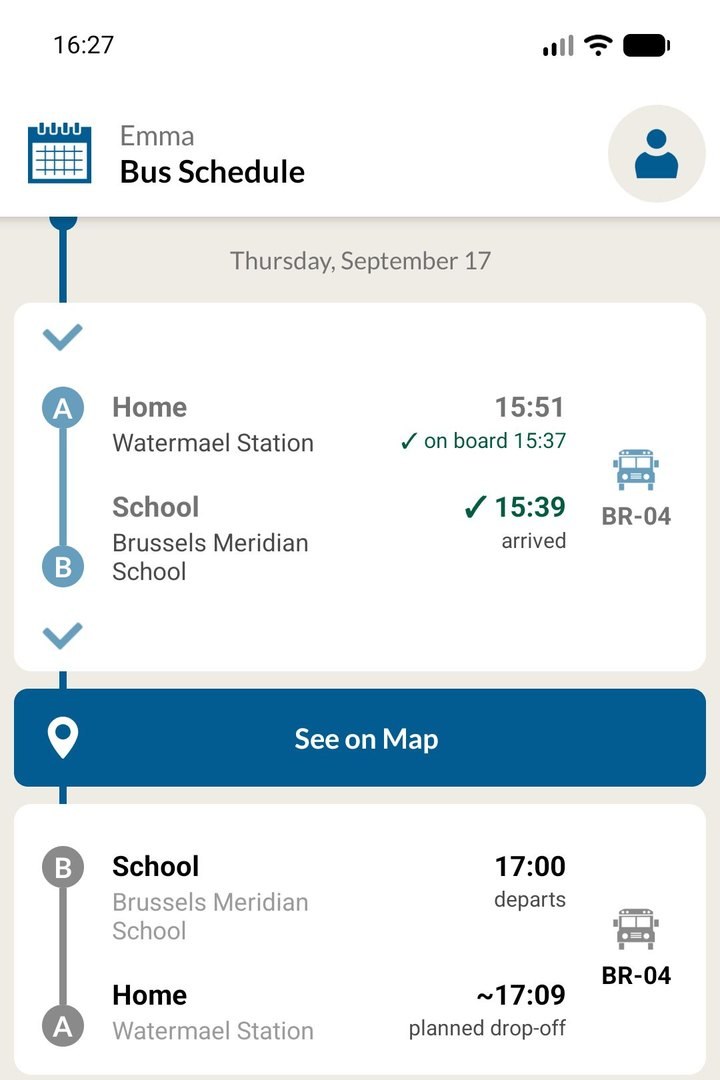
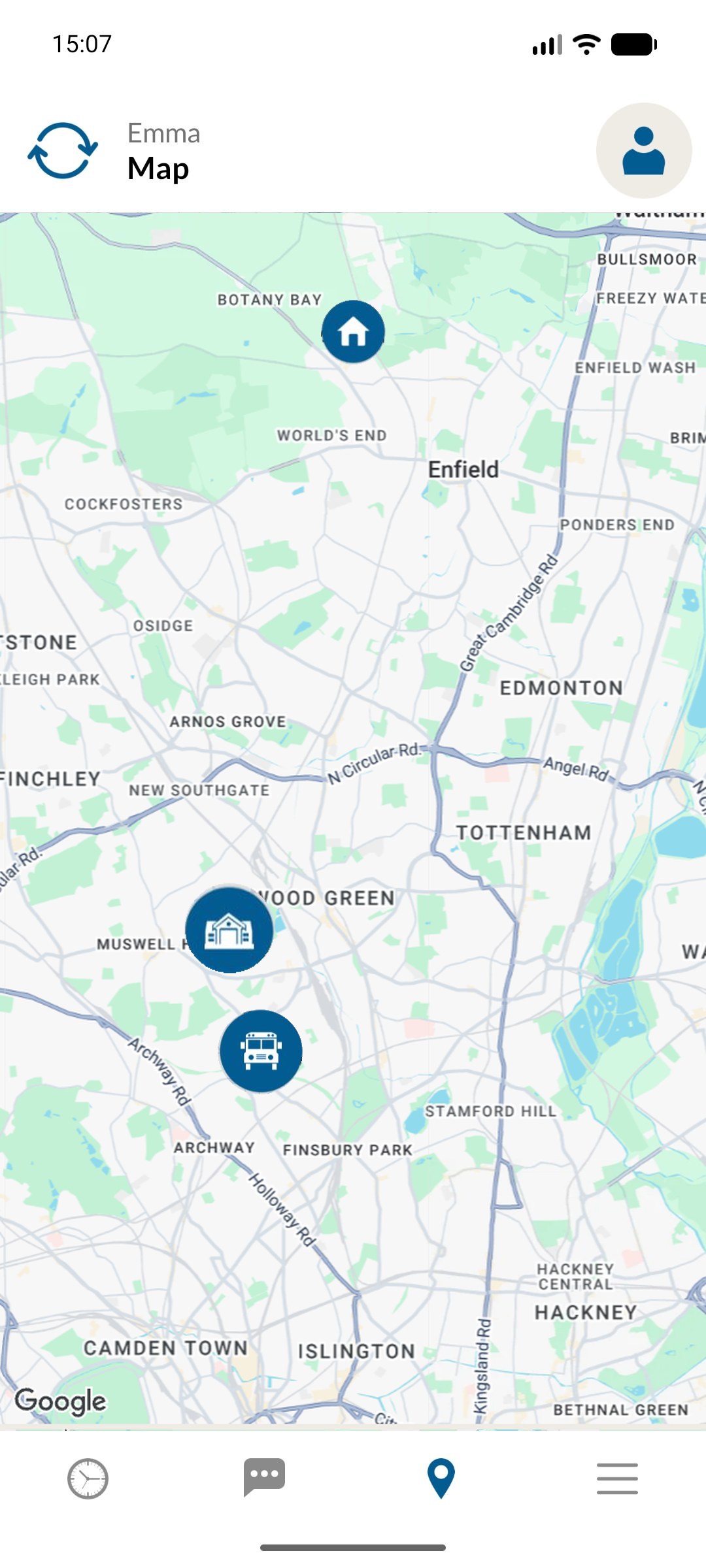
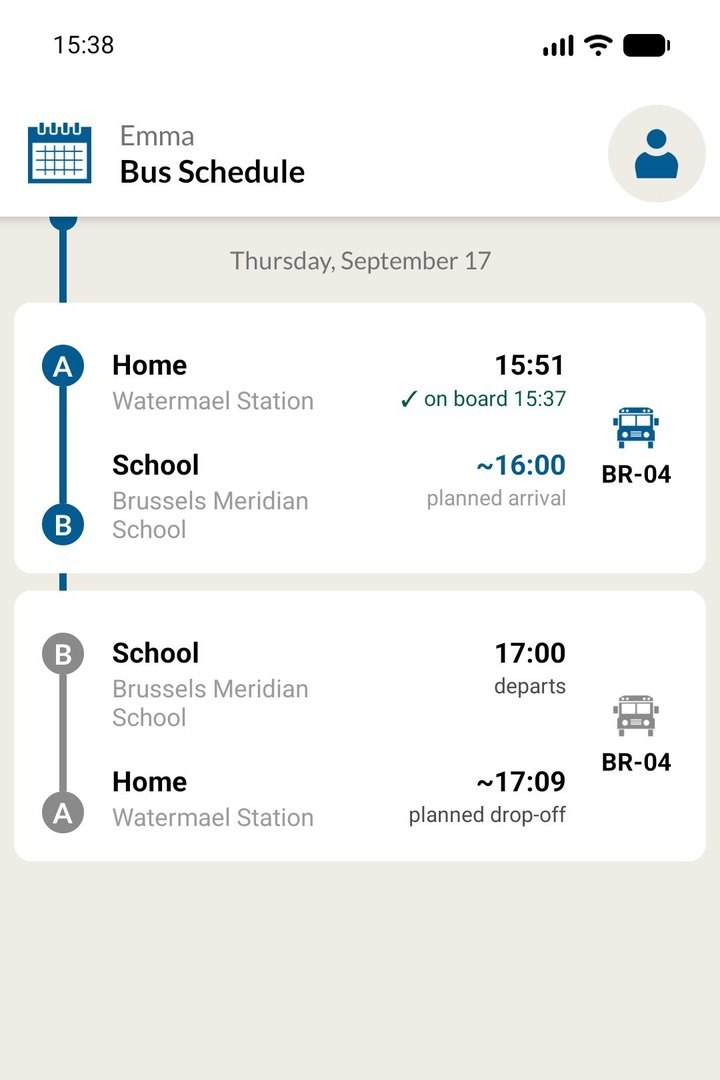
Boarding and arrival times, plus the bus live on a map.
Get alerts and messages
Choose which updates reach your phone, and reply to the school.
Report an absence
One day, a range of dates, or a weekly repeat.
Keep details up to date
Your child's photo, and who may collect them.
Follow the journey
Know the moment they board, and the moment they arrive.
The Bus Schedule screen lists today's journeys: to school, then home. Tap a journey for the bus number plate and driver's name, or use the calendar icon to look at another day.
Green tick
The driver has checked your child on or off. The time shown is the real time.
Red cross
Your child was not at the stop. Contact the transport team if you believe they boarded.
See on Map
Shows the bus, your child's stop and the school. Live while the bus is running.
Alerts and messages
The updates parents want, and a direct line back to the school.
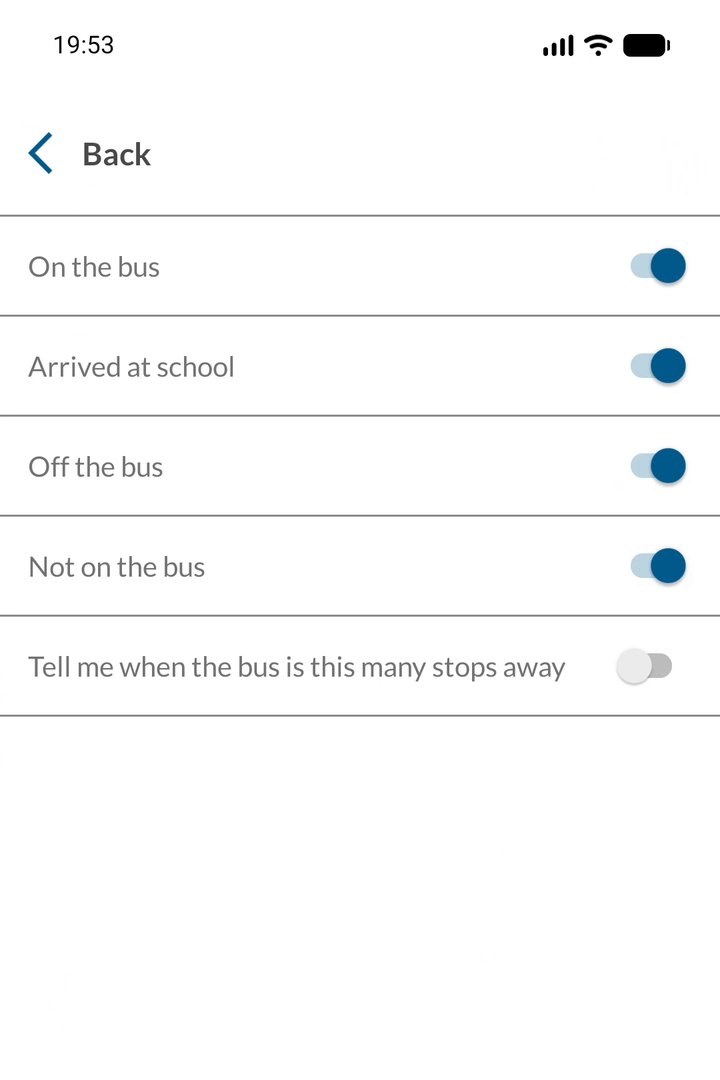
Five switches let parents choose their alerts. Each alert names the child, the bus and the time.
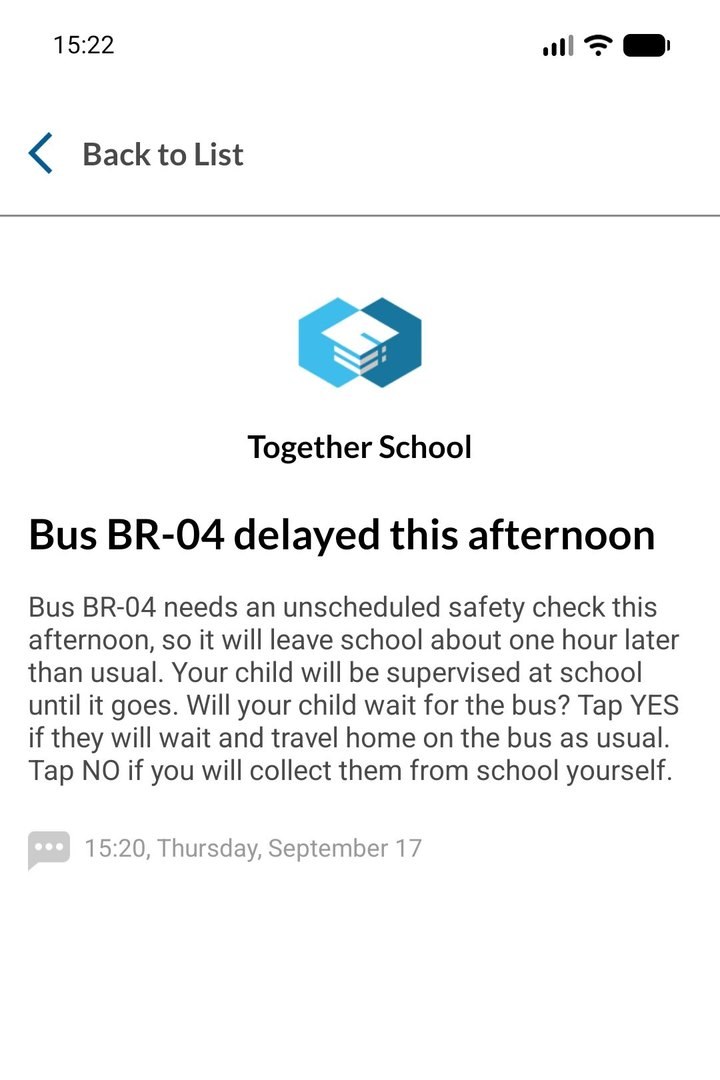
Messages from the Transport Manager arrive in the inbox. Some ask a question; parents tap Yes or No and the answer goes straight back to the school.
On the bus
Arrived at school
Off the bus
Not on the bus
Bus 1, 2 or 3 stops away
Report an absence
No waiting at an empty stop.
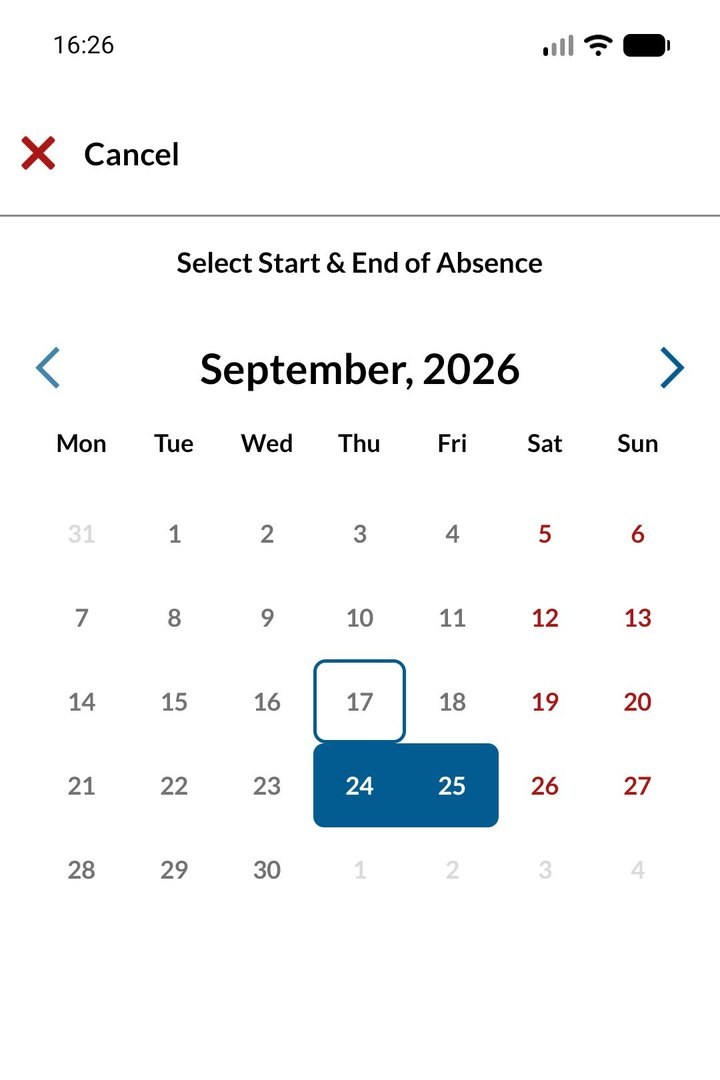
Parents report an absence in a few taps: pick the first and last day, leave Full Day on to cover both journeys, or turn it off for a late arrival or early collection. For a weekly appointment, they turn on Recurrence.
Telling the school in advance means the driver does not wait, and parents will not see a red cross. To change or cancel it later, they use the pencil or the red cross on their child's profile.
One day
A range of dates
A weekly repeat
Why it matters to your school
Better for parents. Better for your transport team.
Real times, not guesses
Parents see the actual time their child was checked on and off by the driver.
Ask, and get answers back
The Transport Manager can ask a Yes or No question, and every answer comes straight back to the school.
Drivers do not wait
Absences reported in advance mean no bus is held up at a stop for a child who is not coming.
The right adult at the stop
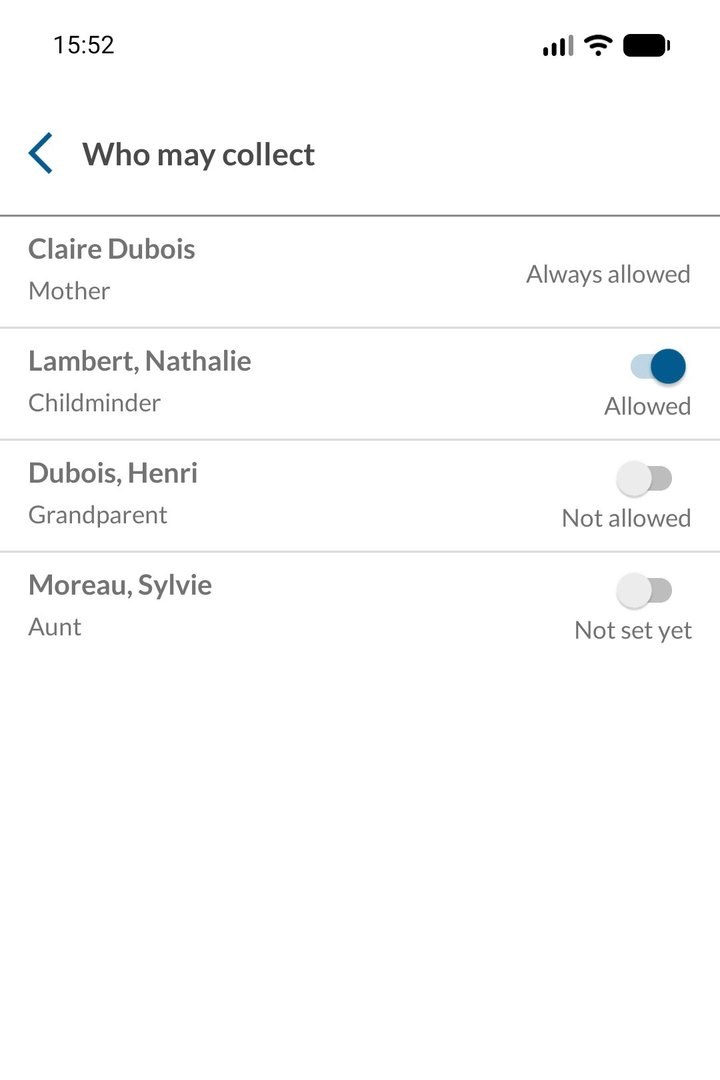
Parents add a photo so a new driver can recognise their child, and choose exactly who may collect them.
Getting started
Up and running in minutes.
1
Download and sign in
With the mobile number the school has on record, starting with the country code.
2
Verify and set a password
A verification code arrives by email. After that, it is just phone number and password.
3
Accept the terms
Scroll to the end of the terms to unlock Accept.
4
Turn on notifications
Say yes in the app and in the phone's own prompt, and the alerts start flowing.
Give every family a clear view of every journey.
Talk to the Together School team about bringing the Parent App to your school.
Request a demo